Help · How to use AngelGuard
Your day with AngelGuard
Every part of the app, in the hour of the day it belongs to. Send this page to anyone you help.
Along the bottom of the screen are five buttons: Today, Bible, Armory, Community and My Shield. You can’t break anything by trying: if a screen looks unfamiliar, tap the arrow at the top left, or swipe down, and you’re back.

I · First light · Lauds · 5–7 am
Before the day asks anything of you
Give the day to God before it begins.
The big prayer at the top of Today changes with the hour. In the morning, it arms you for the day.
Today’s Word, a Bible verse for the day, is on the Today page. Tap it to save it or send it to someone. On Android the card is called WORD OF GOD, and it shows in English only.
How do I pray the morning prayer?
Open AngelGuard. The first screen is Today. At the top is the prayer for this time of day. Tap Begin today’s shield. A calm voice prays it, and the words light up on the screen as they are read.
In the evening the same button says Begin tonight’s shield. The colours of the app change with the time of day; that’s on purpose.
Change the time of my daily reminder
Your daily reminder is called Daily Armor. You change its time under Notifications in My Shield.
Tap My Shield, the fifth button at the bottom. Scroll down to MORE and tap Notifications. Tap Daily Armor. Under Time, tap the time and choose a new one. To stop it, switch Daily Armor off.
This is your one daily prayer reminder. It comes at most once a day, and not on a day you have already prayed. If you never chose a time, it comes at 7:00 AM. The evening bell for your candles is separate (see “Change or turn off my evening reminder”).
On Android: Tap My Shield, then Notifications, then Daily Armor; it shows your current time. Choose a time in Daily armor time and tap Set. To stop it, tap Turn off the call.
Save today’s Bible verse
Tap the verse on the Today page, then tap Save.
On Today, scroll to TODAY’S WORD. Tap the verse; it opens full screen. Tap Save. To send it to someone, tap Share instead. To find it later: My Shield › My Arsenal › Saved verses.
To unsave it, tap Saved again. The Bible button on the verse screen opens the Bible page, not that verse.
On Android: The card on Today is called WORD OF GOD. Tap it, then tap Save or Share. The verse is in English only, and it does not show in Spanish or Portuguese.

II · Morning · 7–11 am
Scripture for the road
A few minutes of Scripture a day, read to you.
For today’s Mass readings, tap Bible at the bottom of the screen. Read them before Mass, or pray with them at home.
A reading plan takes you through Scripture day by day. The Psalm 91 plan is free from start to finish.
Your plan waits for you on the Today page, under YOUR PLAN.
Start a reading plan
Reading plans are under Bible. Pick one and tap the gold button. After that, your plan waits for you on Today.
Tap Bible, the second button at the bottom. Under Reading Plans, slide the row of plans sideways with your finger, or tap Browse all plans. Tap a plan, then the gold button (Pray Day 1). On the following days, open Today and find YOUR PLAN. Tap the card that says CONTINUE · DAY 2.
Plans to begin with: Psalm 91 in 14 Days (free from start to finish) and 30 Days of the Armor. There are also Seven Days of Protection and Seven Days for Grief. Day 1 of every plan is free; the other days are part of Premium. A day counts as prayed only when you listen to the end.
On Android: Same on Android. Some plans say Begin Day 1 instead of Pray Day 1.
Where do I find the next day of my plan?
On Today, under YOUR PLAN, where it says CONTINUE · DAY 2 (and so on). A day counts as prayed when you listen to the end. After you pray, you can tap Remind me so AngelGuard calls you back tomorrow.
Make the Bible text bigger
In the Bible reader, the Aa button at the top makes the words bigger.
Tap Bible, then the Read the Bible card (Open the reader). Tap Aa at the top. Each tap goes one size up, through three sizes, then back to the first. The Mass readings (Today’s Mass) have the same Aa button.
The Bible reader is in English only. Reading-plan days have no Aa: they follow your phone’s text size (see “Make the text bigger or smaller”, under Your account).
Is the Bible in my language?
The Bible reader (Read the Bible) is in English only. On iPhone, Today’s Word and the Mass readings (Today’s Mass) come in Spanish and Portuguese too.
On Android: The Bible reader, the Mass readings and the daily verse are in English only; in Spanish or Portuguese, the daily verse does not show. Reading plans show where they have been translated.

III · Midday · Sext · 11 am–4 pm
Mary at noon
Pray the Rosary of the day, with a calm voice beside you.
TODAY’S MYSTERIES is on the Today page. When the screen shows Your turn, you say the response, aloud or in your heart.
At noon the Church prays the Angelus (in Eastertide, the Regina Caeli). You’ll find it in the Armory.
The Armory, the third button at the bottom, holds AngelGuard’s prayers. Search it for what you need.
Tap the heart on a prayer to keep it. Kept prayers wait in My Shield › My Arsenal.
How do I pray today’s Rosary?
On Today, scroll down to TODAY’S MYSTERIES and tap Pray today’s Rosary. The voice leads; when the screen shows Your turn, you pray the response, and its words light up for you. The daily Rosary is always free.
More time to answer in the Rosary
Not yet: the Rosary keeps its own pace. You can pause it whenever you need.
When the screen shows Your turn, tap the round pause button in the middle. Say your part at your own pace, then tap the button again to go on. A slower speed (0.75x) slows the whole Rosary.
Longer pauses in the Rosary are not possible yet.
On Android: Same on Android. Tapping the words also pauses it.
Find a prayer, and find it again later
Search for it in the Armory. Tap the heart to keep it. Kept prayers wait in My Shield › My Arsenal.
Tap Armory, the third button at the bottom. Tap the box Search prayers, saints, scripture and type a word, for example “St Michael”, or tap a tile such as Rosaries or Novenas. Tap the prayer to start it. Tap the heart near the bottom of the screen; if the buttons have faded, tap the screen once first. To find it again: My Shield › My Arsenal › Kept prayers.
Searching a saint or a Bible passage opens a list of prayers, not a page about that saint or passage.
On Android: A prayer found by search opens on a page with its words. Tap the heart at the top right of that page, or tap the heart while it plays.
Make the voice slower or faster
While a prayer plays, the buttons fade after a few seconds so the words have room. Tap the screen to bring them back. The three dots (⋯) at the top right open a row of small buttons: the one marked 1x sets the speed, slower or faster.
On Android: The buttons fade after about 3 seconds. Tapping the words pauses the prayer; tap again to continue.
Turn the background music down or off
If you once chose an extra background sound, you can switch it off in the player. Many recordings carry soft music inside them, and that music cannot be lowered yet.
While the prayer plays, tap the three dots (⋯) at the top right. Tap the small wave button (Ambient Sound). Choose No Ambient (Prayer voice only).
New readers have no extra sound: the list shows only No Ambient. The soft music recorded inside many prayers cannot be turned down or off yet.
On Android: Same on Android: Ambient sound › No Ambient.
See all the words of a prayer
While a prayer plays, AngelGuard shows the words being spoken, one phrase at a time. A full page of the whole prayer is not there yet on iPhone.
To stay on a phrase longer, tap the round pause button in the middle; tap it again to go on. To make the words come more slowly, choose a slower speed (see “Make the voice slower or faster”). The St Michael prayer is written out in full on the shield screen: tap the round gold shield at the top right of Today, then scroll down.
Sleep stories show no words, on purpose.
On Android: Tap Armory and search for the prayer by name. Under Prayers, tap it: the page shows all the words.
Where is the sacred music and Gregorian chant?
On Today, scroll down to SOUND FOR THE SOUL, or tap Armory, scroll to MORE WAYS TO PRAY, then Sound for the Soul. Choose a collection and tap Play All.
The music keeps playing in the small bar just above the buttons at the bottom; tap that bar to open the player, and the stop button to end it, or tap ✕ on the bar. Some tracks are free; the rest are part of Premium. Music doesn’t have a sleep timer yet.

IV · Evening · Vespers · 4–8 pm
The hour the altar was made for
Keep a candle burning for each person you carry.
Your candles are on your household altar, on the Today page and in My Shield. Only you can see it; no one is told they are on it.
A candle burns for about a day. When it goes out, nothing is lost: the name stays on your altar. Tap the name, then press and hold the gold button under the candle until it lights.
In the evening, tap Begin the vigil to pray for each person and carry the flame from candle to candle.
Community, the fourth button, is a prayer wall for other members. Tap a candle there to pray with them. Your own candles stay on your altar.
Add someone to my candles
Open your altar and add their name. Their candle lights straight away.
On Today, tap your household altar (Your household vigil). Tap Light a candle for someone, or Add someone you carry if your altar already has names. Type their name and tap Continue. Tap In daily prayer or In sickness or trial. Their candle lights. Add a few words or a photo if you like, or skip with Continue without words and Pray without a photo.
There is no limit on names. Only you see your altar; no one is told they are on it. You cannot change the order of the names yet.
On Android: Same on Android. An empty altar shows Place the first candle. During the Holy Souls week (November 2–8), the Holy Souls screen adds only someone who has died; for a living person, use Add someone you carry on the altar.
Why did my candle go out?
A candle burns for about a day. When it goes out, nothing is lost: the name stays on your altar. Tap the name, then press and hold the gold button under the candle (Hold to relight their candle) until it lights again.
Change or turn off my evening reminder
The evening reminder is called the Vesper Bell. You set it at the bottom of your altar.
Open your altar from Today. Scroll below the names to VESPER BELL · 20:00 (20:00 is 8:00 PM). Tap it. Choose another hour (6:00–10:00 PM), or tap Silence the bell. If it is off, tap RING THE VESPER BELL WHEN THE ALTAR IS WAITING to turn it on. You can also switch it off in My Shield › Notifications › Vigil reminder.
The bell shows its hour in 24-hour form (20:00) on both apps. It skips evenings when you have already kept the vigil. After 5 rings in a row with no answer, it falls silent by itself.
On Android: Same on the altar. Its “on” line reads RING THE VESPER BELL TO CALL ME BACK EACH EVENING. There is no Vigil reminder switch in Android’s Notifications.
Ask others to pray for me
Post your intention on the prayer wall in Community. Other members light a candle for you.
Tap Community, the fourth button at the bottom. Tap Leave your intention (+ Ask for prayer). The first time, read the Community Terms and tap I Agree, then tap Leave your intention again. Sign in if asked, with Continue with Apple or an email code; you may also be asked to choose a display name. Write your intention, choose Anonymous or Use my name, then tap Leave it on the wall.
Posts are anonymous unless you choose your name, and only members see the wall. To pray for someone else’s intention, tap the candle picture next to it. Please don’t send intentions through Send Feedback: that goes to the AngelGuard team, not to the wall.
On Android: Same, but the last button reads Submit. An account made on this phone is enough: you are not asked to sign in with Apple or Google first.
Remove someone
Open their name, tap Edit, then Remove from your household.
Open your altar from Today. Tap the person’s name. Tap the small word Edit at the top right. Scroll down, tap Remove from your household, then Remove.
This cannot be undone: their candle and your nights of watch for them are removed.
Someone I pray for has died
You can move them to the memorial shelf. Their candle becomes a flame that never goes out, and you keep everything you wrote for them.
Open your altar, tap their name, then tap Edit. Tap Move … to the memorial shelf (it shows their name), then Move to the memorial shelf. To be reminded each year: in Edit, tap Their day › Add the day, choose the date, and keep Remind me each year on. To pray for them: on the altar, tap Pray for those you’ve lost. To add someone who has already died: Add someone you carry › their name › press and hold In loving memory for a moment.
Moving someone to the memorial shelf cannot be undone. Outside November, the Pray for those you’ve lost card appears once someone is on the memorial shelf.
Turn the Lock Screen candle on or off (iPhone)
While a candle burns, your altar can show on your Lock Screen. Switch this on or off in My Shield › Notifications › Household vigil on Lock Screen.
The candle shows only while one is burning.
On Android: Android shows the candle as a notification instead.
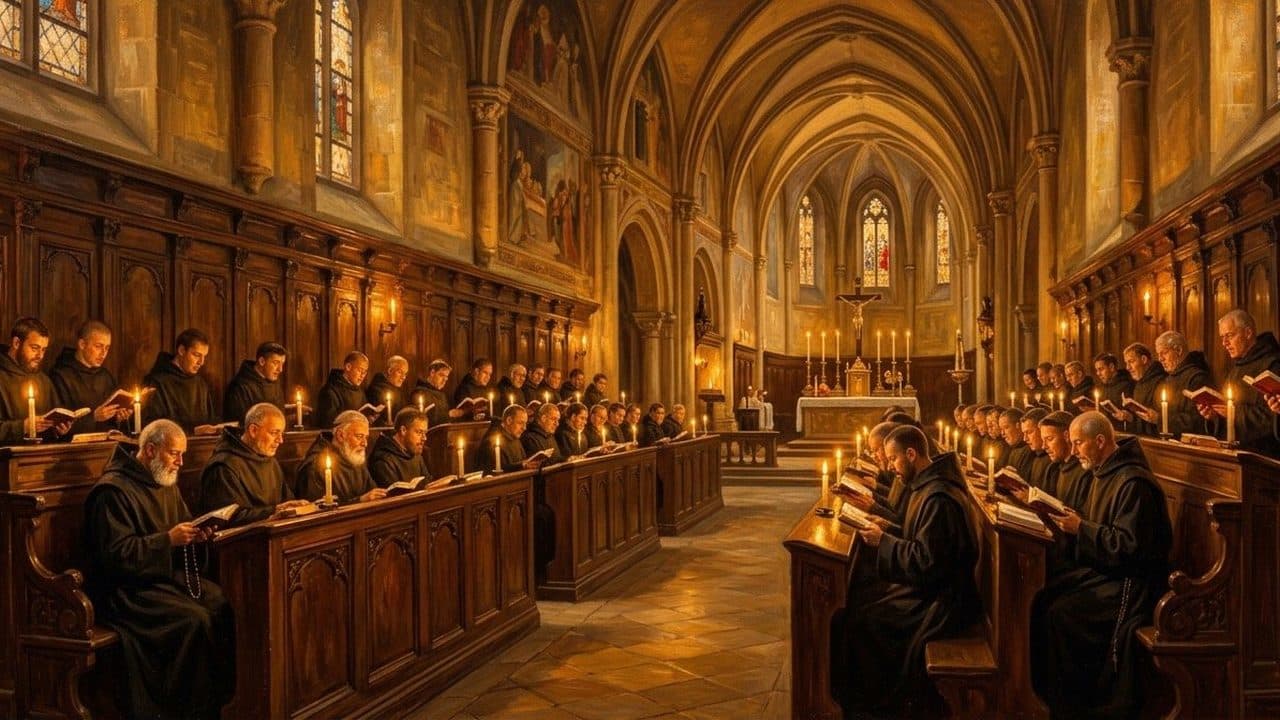
V · Night · Compline · 8 pm–5 am
Under His wings through the night
Close the day under God’s protection, and let Scripture carry you to sleep.
From 4 in the afternoon, the Today page shows TONIGHT: Sleep Protection Stories, Scripture stories where God drives back the dark, read softly. Night prayers and more stories are in the Armory, under Night Watch.
To have a prayer stop by itself, tap the three dots at the top right of the player, then the moon.
Stop the prayer after I fall asleep
Set the sleep timer: the little moon behind the three dots in the player.
While the prayer plays, tap the screen once if the buttons have faded. Tap the three dots (⋯) at the top right. Tap the moon. Choose 5 minutes, 10 minutes, 15 minutes, 30 minutes, 1 hour or End of this prayer.
In Night Watch (Armory › MORE WAYS TO PRAY), the sleep prayers have their own Sleep Timer (Off, 30 min, 1 hr, 2 hr, 8 hr). The sacred music in Sound for the Soul has no sleep timer yet.
On Android: Same on Android: … › Sleep timer.
Stop the next prayer from starting
The player plays the next prayer from the list you started from. Clear the list, or tell the timer to stop at the end of this prayer.
In the player, tap the three dots (⋯). Tap the moon and choose End of this prayer. Or tap the list button (Queue) and tap Clear next to Up Next. In Night Watch, also switch off Loop all night: it is on unless you turn it off.
The Next: line under the buttons shows what plays next. A sleep story goes on to the next story of its collection.
On Android: Same on Android: … › Queue › Clear, or Sleep timer › End of this prayer.
VI · Any hour
When the enemy presses
Know where it is before you need it.
The round gold shield at the top right of the Today page opens a calm breathing prayer, You are not alone. From there, Pray St Michael with me prays with you. It works without internet.
The strongest weapons are the sacraments: Confession and the Eucharist. AngelGuard keeps you praying between them.
Ask AngelGuard, at the bottom of the Today page, answers questions about prayer and the faith. It is an AI guide, not a priest: for confession and spiritual direction, go to your parish.
Pray to St Michael fast, in a hard moment
Tap the round gold shield at the top right of the Today page, then Pray St Michael with me. It works without internet.
On Today, tap the round gold shield at the top right. The word “SOS” sits under it until your first tap. The screen You are not alone opens with a calm breathing prayer. Tap Pray St Michael with me: a voice prays it with you. To read the words yourself, scroll down (When you’re ready, pray on).
The same shield is at the top of Armory and My Shield. Without opening the app, you can also say to Siri: “Pray to St Michael with AngelGuard”.
On Android: The same shield is on Today, and Spiritual SOS is in My Shield. The St Michael prayer starts by itself after about 8 seconds. From the home screen: press and hold the AngelGuard icon and choose Protect me now.
Ask Siri to pray (iPhone)
Say “Pray to St Michael with AngelGuard” or “Pray the Rosary with AngelGuard”. Siri opens AngelGuard and the prayer starts.
The phrases work in English, Spanish and Portuguese only.
On Android: Not on Android. Instead, press and hold the AngelGuard icon on your home screen and choose Protect me now. The St Michael shield opens, even from the lock screen.
Add AngelGuard to my Home Screen
Add an AngelGuard widget from your Home Screen.
Press and hold an empty spot on your Home Screen. Tap Edit, then Add Widget. Search “AngelGuard” and choose one: Today’s Word, Household Altar, Daily Shield (opens the St Michael prayer) or Advent wreath.
There is no widget for today’s prayer. On iPhones with iOS 18 or later, a Control Center button, Begin Today’s Shield, plays it.
On Android: Press and hold the home screen, then tap Widgets › AngelGuard. Household Altar and The Watch both show your altar.
Ask a question about the faith
Ask AngelGuard is a card near the bottom of the Today page. Type your question in your own words.
On Today, scroll down to A QUESTION ON YOUR HEART? (Ask AngelGuard). Tap it. The first time, read the note and tap I understand — continue. Type your question in the box (Ask a question…), for example “How do I protect my home from evil?”, and tap the arrow, or tap one of the suggested questions. If an answer offers a prayer, tap it to pray.
Ask AngelGuard is an AI guide, not a priest. For confession and spiritual direction, go to your parish. Free: 5 questions a day. Premium: 50 a day.
On Android: Same on Android. The first-time button reads I Understand, Continue.
Get back to where I stopped
An unfinished prayer waits for you on Today under Continue. To leave any screen, use the arrow at the top left, ✕, or swipe down.
On Today, look for Continue with the prayer’s name and a small progress line. Tap it to carry on where you stopped. If the prayer is still playing, tap the small bar just above the buttons at the bottom. To leave a screen, tap the arrow at the top left or ✕, or swipe down from the top. Tapping the bottom button you are already on takes you back to the top of that page.
Continue shows a prayer only after you have listened for at least 30 seconds and before it is almost finished. Swiping the small bar down stops the prayer.
On Android: The row is called CONTINUE. The phone’s Back gesture or button also works.

VII · The Church’s year
Walk the Church’s year
The seasons come to you, each in its time.
In November, seven nights for the Holy Souls. In Advent, a candle each week, and from December 16, nine nights to Bethlehem. Each appears on the Today page when its time comes.
Novenas and feast-day prayers are in the Armory. The course Start Here, in My Shield, teaches the armor of God one lesson at a time.
Pray a novena
Novenas are in the Armory. In season, longer novenas such as Nine Nights to Bethlehem appear under Bible and on Today.
Tap Armory and type “novena” in the search box, or scroll to the Novenas tile. Tap the day you are on, for example “Day 1”. To be reminded each day, go to Armory › MORE WAYS TO PRAY › My Routine. Under POPULAR ROUTINES, choose St. Michael Novena, switch on Remind me daily, and tap Add to my routines.
In the Novenas tile you pick each day yourself; it does not remember where you are. The novena days are part of Premium; in the seasonal novenas, Day 1 is free. Nine Nights to Bethlehem runs December 16–24. Once a routine is added, its daily reminder can’t be changed or turned off in the app yet.
On Android: The Novenas tile shows when it holds prayers. My Routine is in the same place.
Is there a Catholic trivia game? (English)
At the very bottom of Today is THE BRIGHTEST CANDLE. Tap Play. You can practise on your own against the clock, or challenge a friend to a five-round duel. It’s free, it needs internet, and it’s in English only.
Settings · Purchases · Support
Your account
Everything else, in one place.
Tap My Shield (bottom right), then the small gear at the top right. That’s where Language, Restore Purchases and Contact Support are.
Change the language
AngelGuard follows your phone’s language. You can also choose English, Español or Português (Brasil) in Settings.
Tap My Shield, then the small gear at the top right (after the update: Settings). Tap Language and choose one. Tap Switch. Then close AngelGuard completely: swipe up from the bottom of the screen and hold, then swipe the AngelGuard picture up. Open AngelGuard again.
Only English, Spanish and Portuguese for now. The Bible reader is in English only.
On Android: Same path. After Switch, AngelGuard restarts by itself. On Android, the Mass readings and the daily verse are in English only as well.
Make the text bigger or smaller
AngelGuard follows your phone’s text size, so you change it in the phone’s own settings.
Open the iPhone’s Settings app. Tap Display & Brightness › Text Size and drag the slider. For larger sizes: Accessibility › Display & Text Size › Larger Text.
On iPhone, AngelGuard grows up to a large size and then stays there. If a button seems to be missing at very large sizes, try one size smaller. The Bible reader also has its own Aa button.
On Android: In the phone’s Settings › Display › Font size. The exact names vary by phone maker.
I paid, but it still asks me to pay
Tap Restore Purchases in Settings. AngelGuard then checks your Apple ID or Google account again.
Tap My Shield, then the small gear at the top right. Scroll to About and tap Restore Purchases. “Your subscription is back.” means it worked. If it says “We didn’t find an active subscription on this Apple ID”, check that this phone uses the Apple ID you paid with. Then close AngelGuard completely and open it again.
If you paid on the AngelGuard website, sign in in the app with the same email instead of restoring.
On Android: Settings › About › Restore Purchases. “No purchases found for this Google account.” means a different Google account paid.
Cancel my subscription
Subscriptions are cancelled with Apple or Google, not inside AngelGuard. Deleting the app does not cancel it.
Open the iPhone’s Settings app. Tap your name at the top, then Subscriptions, then AngelGuard, then Cancel Subscription. In AngelGuard, My Shield › the gear › Manage Subscription › Cancel subscription asks one question, then opens Apple’s page.
You keep Premium until the paid period ends. In a free trial, cancel before it ends to avoid the first charge.
On Android: Open the Google Play Store, tap your profile picture, then Payments & subscriptions › Subscriptions › AngelGuard › Cancel. AngelGuard’s Manage Subscription opens Google Play. Deleting the app does not cancel it.
Who makes AngelGuard? Is there a priest?
AngelGuard is made by lay Catholics. It is not made by, or on behalf of, any priest or religious order.
Write to us
In Settings, Contact Support opens an email to the AngelGuard team.
Tap My Shield, then the small gear at the top right. Under Help, tap Contact Support: an email to hello@angelguardprayers.com opens. Or tap Send Feedback to write inside the app. You can also use the form on our support page.
Send Feedback can only be answered if you have signed in, because it carries your account’s email. If you want an answer, use Contact Support. For prayer, post on the Community wall (see “Ask others to pray for me”).
On Android: Same place. The address is support@angelguardprayers.com.
Still unclear? Write the part that confuses you, in your own words, on our support page, and we’ll walk you through it.